Naviotool
What is Naviotool?
Naviotool is pre-installed utility that makes your experience with autopilot easier.
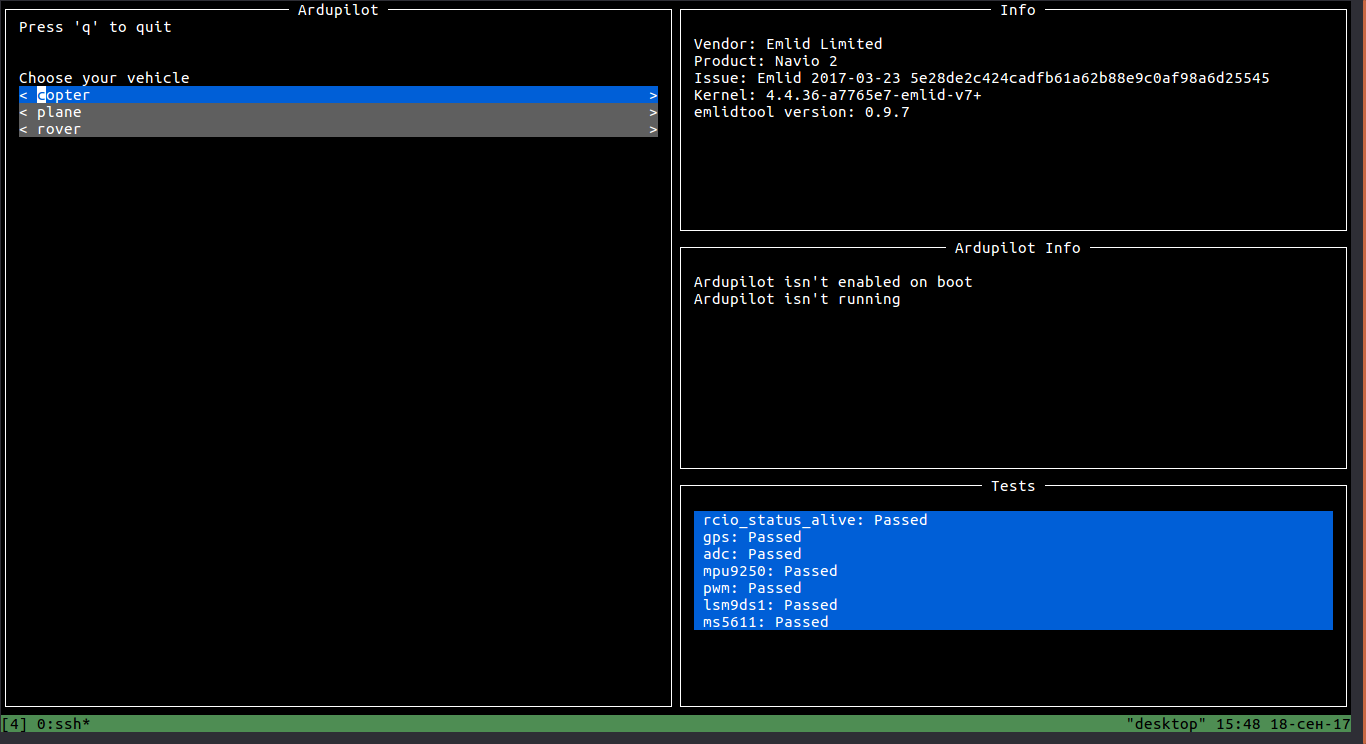
Overview
Generally, naviotool has four available options: info, test, ardupilot, rcio.
info
Shows information about the system.
Usage:
naviotool info
This will produse an output like this:
Vendor: HiPi Limited
Product: Navio 2
Issue: Emlid 2017-03-23 5e28de2c424cadfb61a62b88e9c0af98a6d25545
Kernel: 4.4.36-a7765e7-emlid-v7+
test
Runs simple tests on the device.
Usage:
naviotool test [sensors]
You can specify which sensors you want to test.
note
Running tests without arguments has the same effect as specifying 'all'.
ardupilot
Helps you to configure and enable ArduPilot on boot.
Usage:
naviotool ardupilot {configure, help}
You can choose either configure or help.
configure helps you to choose an appropriate software for your device:
naviotool ardupilot configure
By default, it opens graphical user interface, but if you prefer old-school interface, type:
naviotool ardupilot configure --no-tui
You will be supposed to choose your vehicle and frame corresponding to the available list.
Let's say that we have copter. Then we need to enter '1'.
1) copter
2) plane
3) rover
Type selection number for your vehicle: 1
Running ardupilot without arguments or with help shows you a guide explainig how to enable ArduPilot on boot.
rcio
Tool to configure RCIO.
Usage:
naviotool rcio {check, update}
check- determine whether you need to update firmware or not.update- update firmware.
Usage:
naviotool rcio update [-p 'path'][-q][-y]
where:
-p 'path'- specify firmware path-q- quiet update (no stdout)-y- answer 'yes' on all questions